※本記事は実体験に基づく戦略を公開していますが、収益や再現性を確実に保証するものではありません。
生成AIでカフェの画像を生成すると、おしゃれな観葉植物や「緑」が画面いっぱいに配置されがちです。
もちろんそれはそれで素敵ですが、ブログのトーンによっては「もっとクールに、無機質な質感でまとめたい」という時もありますよね。
今回は、当ブログの編集長M(元・月間800万PVメディア運営)が提唱する、「無機質でおしゃれに」にこだわった、都会的で洗練されたノマドシーンの作り方を公開します。
今回、掲載した画像はこのブログ限定で掲載しております。また、各画像の下にあるテキストは実際にMidjourneyで使用したプロンプトです。
なお、通常は4枚みてからOKそうだなと思うものを1枚ずつDLして、詳細チェック(指の数や人としての整合性、肌や服にいわゆるゴミがついていないか、ポートレートとして売れる商品なのか)はをしています。
しかし、今回は撮って出しでのリアルをしってもらうためにあえてそのままとしております。ご容赦ください。
この記事でわかること
- カフェ画像から「過剰な緑」を消して無機質にするプロンプト術
- 商標トラブルを避けるための「ロゴなしPC」の出し方
- 「引き・より・俯瞰」のバリエーション展開
- 2026年最新のMidjourney 対応プロンプト
Pattern 1:通常版(緑のあるカフェ)でノマドワーキング
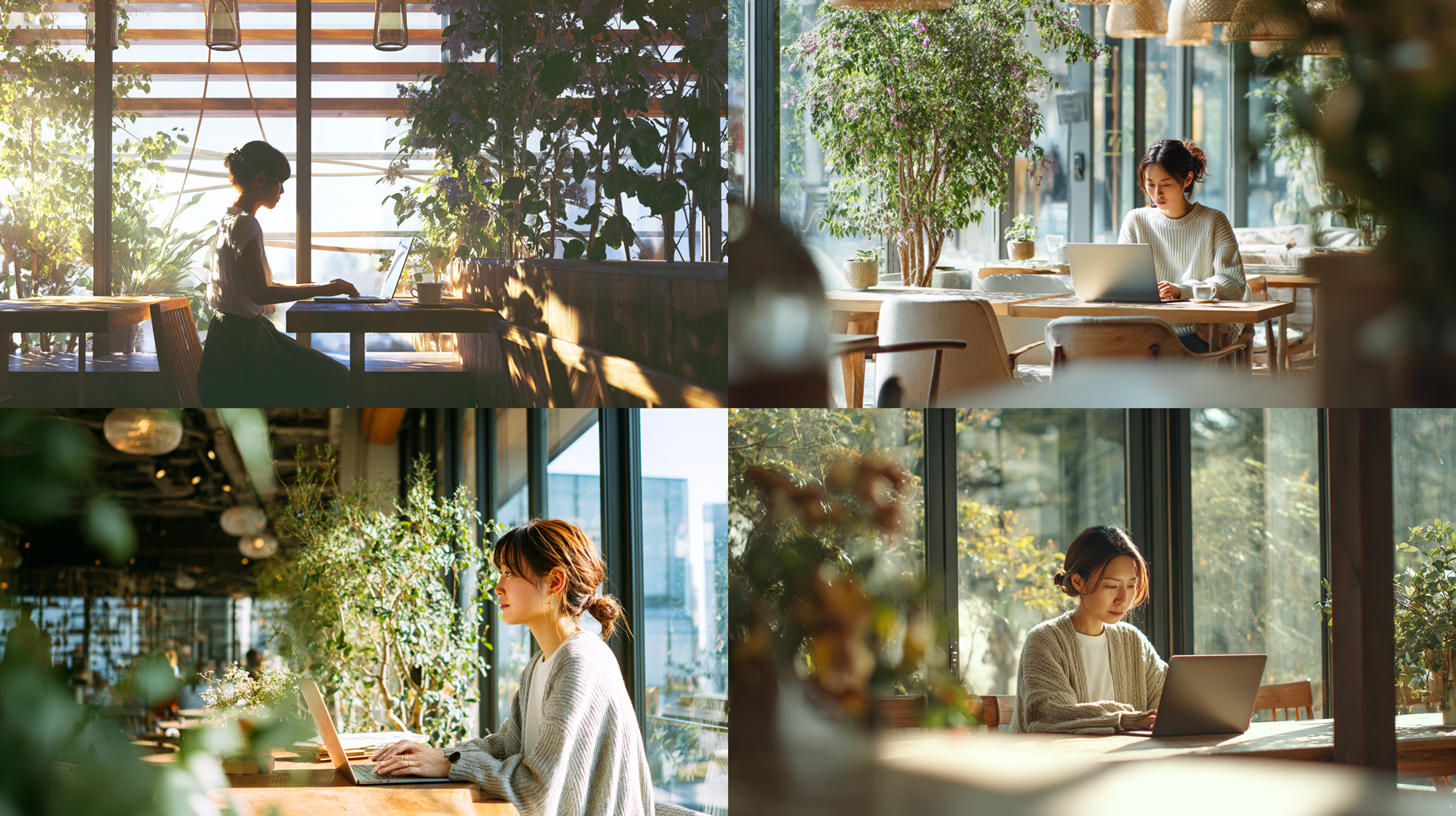
まずは比較として、一般的な「おしゃれなカフェ」を生成してみます。
プロンプトに植物や緑をいれていなくてもこの程度の緑が出てきます。これがいまのMidjourney(画像生成AI)のクセですね。
こういう植物がいっぱいあるシチュエーションであればいいですが。指定していないのにこれだけ出るのはちょっと…。
A beautiful Japanese woman working on a laptop in a bright modern cafe, large windows, natural sunlight, photorealistic, 8k --ar 16:9 --v 6.0
Pattern 2:こだわり版(無機質・コンクリート打ちっぱなし)
ここからが本番です。緑を徹底的に排除するため、編集長Mこだわりの「無機質、コンクリートの壁」でノマドワークに集中する女性の世界観を作ります。
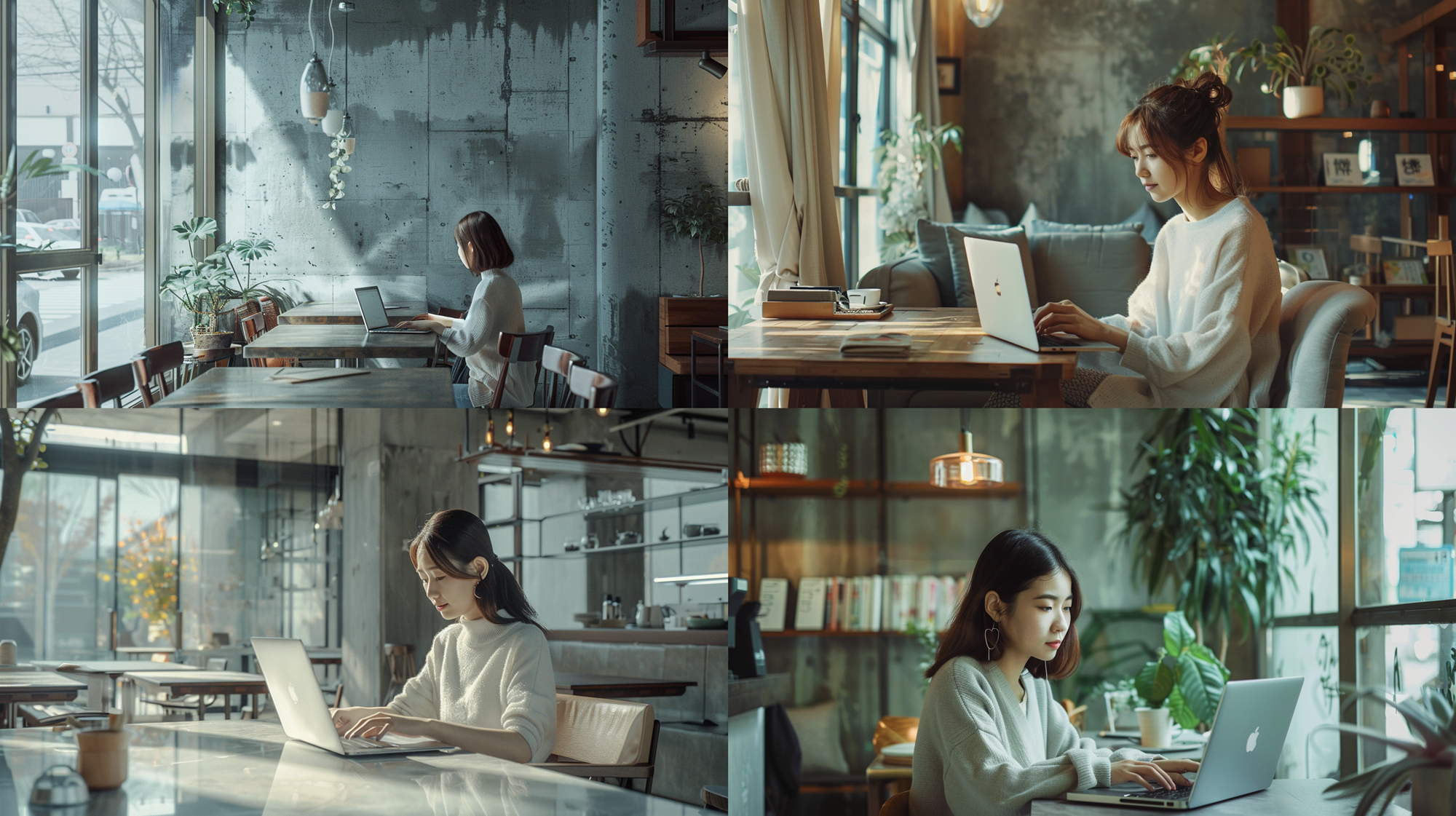
A beautiful Japanese woman working on a laptop in a minimalist modern cafe with concrete walls, industrial design, raw concrete texture, clean and uncluttered interior, muted color palette, large windows, soft natural sunlight, calm and professional atmosphere, photorealistic, ultra-detailed, realistic skin tones, shallow depth of field, cinematic lighting, 8k --ar 16:9 --v 6.0
あれれ?このプロンプトでも緑・植物が出てるなぁーと思って、よく見ると --v 6.0 だったので、ここを --v 7.0 にしてみると…
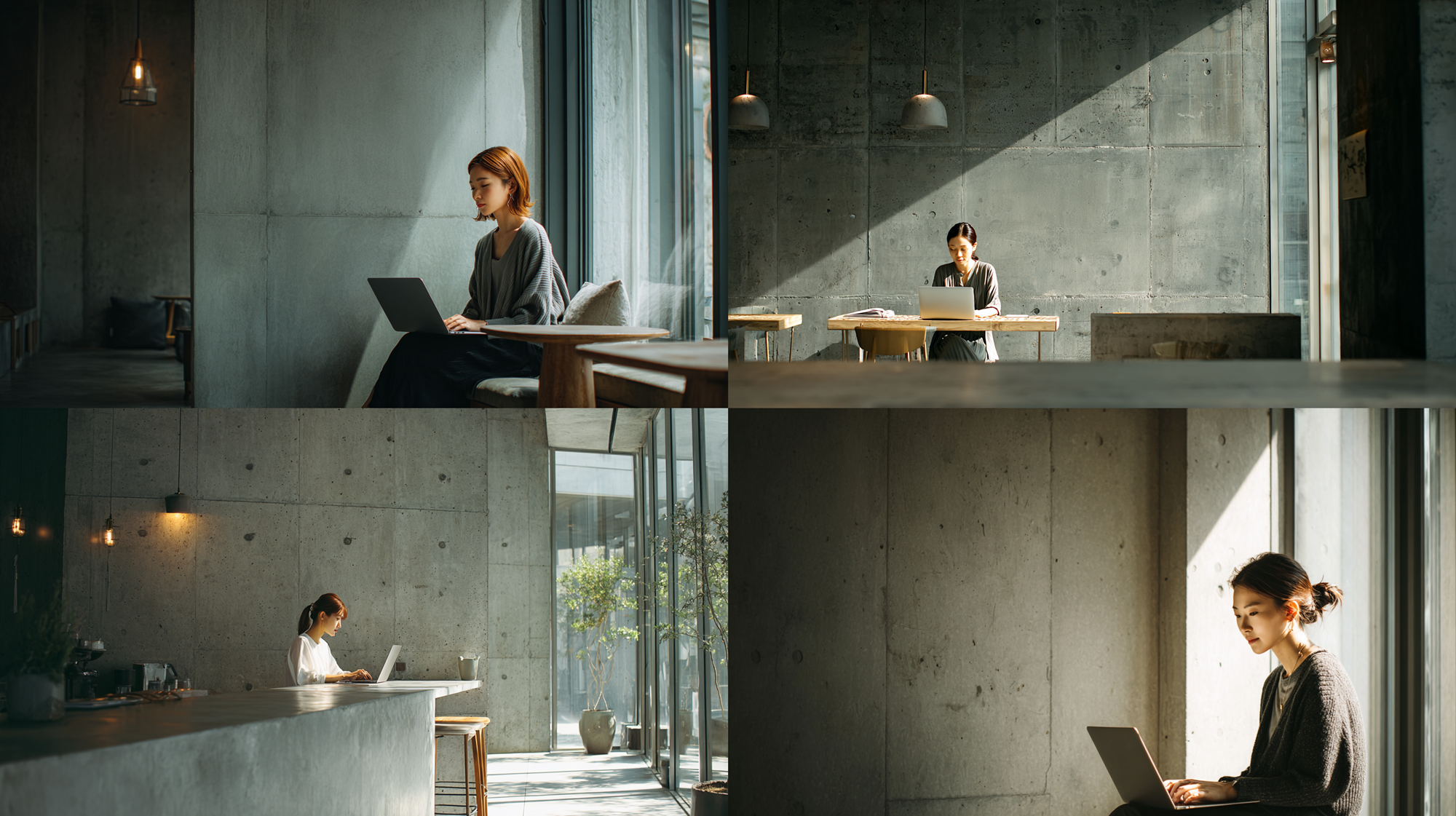
A beautiful Japanese woman working on a laptop in a minimalist modern cafe with concrete walls, industrial design, raw concrete texture, clean and uncluttered interior, muted color palette, large windows, soft natural sunlight, calm and professional atmosphere, photorealistic, ultra-detailed, realistic skin tones, shallow depth of field, cinematic lighting, 8k --ar 16:9 --v 7.0
はい、仮説でやってみましたが、緑はだいぶんと減りました。無機質っぽさ全開です。
で、今回は女性の髪型や服装は指定してないです。このあたりはそのときどきで必要であれば、ってことですね。
あと、引きと寄りがバラバラにでてきたので、ここはちょっと選別したいので、次にプロンプトをいじってみます。
Pattern 3:【引き・全景】空間の空気感を伝える
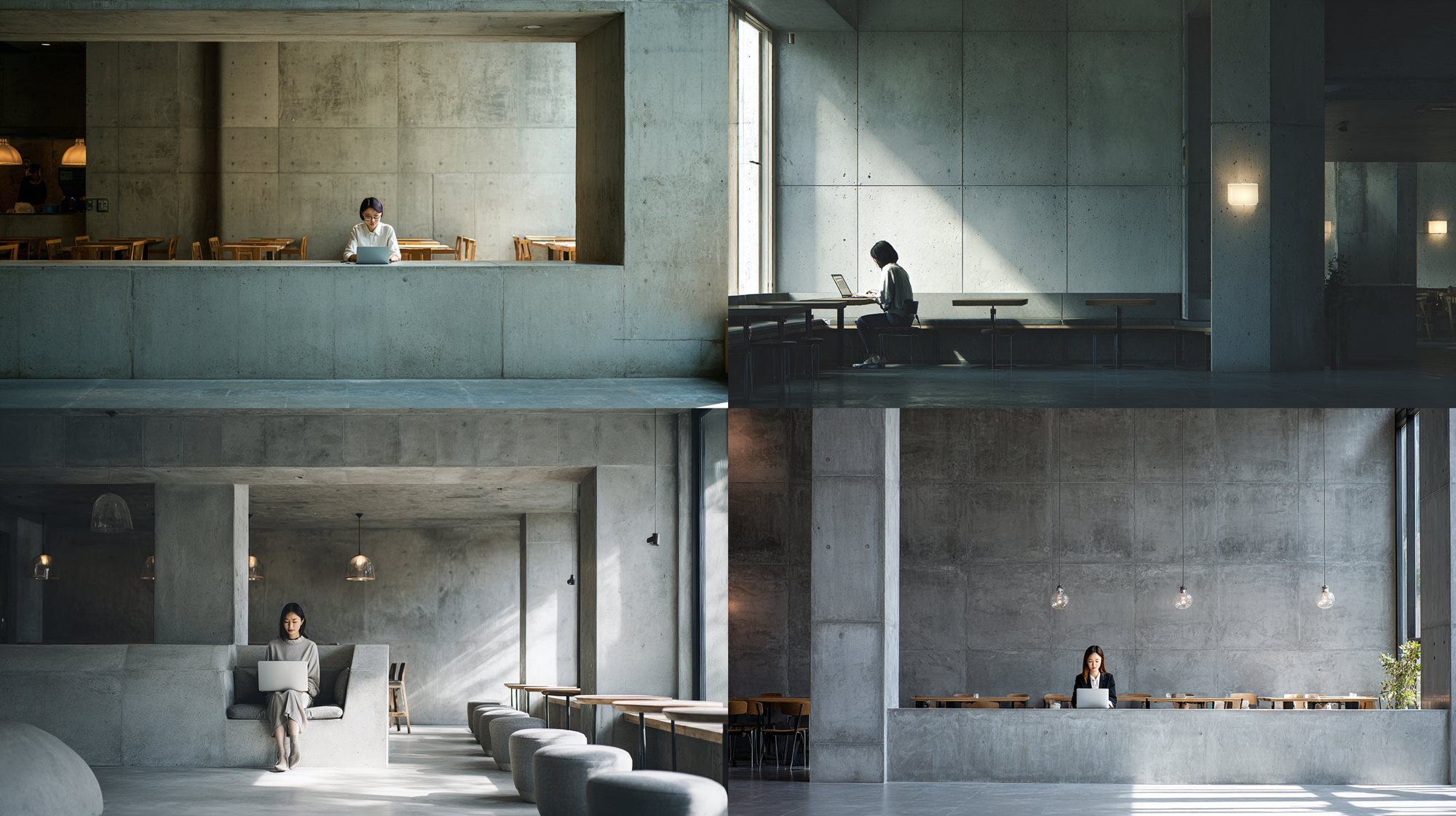
A beautiful Japanese woman working on a laptop in a minimalist modern cafe with concrete walls, industrial design, raw concrete texture, clean and uncluttered interior, muted color palette, wide shot, pulled-back composition, full cafe interior visible, subject relatively small in frame, spacious atmosphere, large windows, soft natural sunlight, calm and professional mood, photorealistic, ultra-detailed, realistic skin tones, cinematic lighting, 8k --ar 16:9 --v 7.0
いい感じです。こういう構図、ぼくとしてはあまり使わないのですが、需要は大いにあると思います。
Pattern 4 :【寄り・表情】集中している瞬間を切り取る
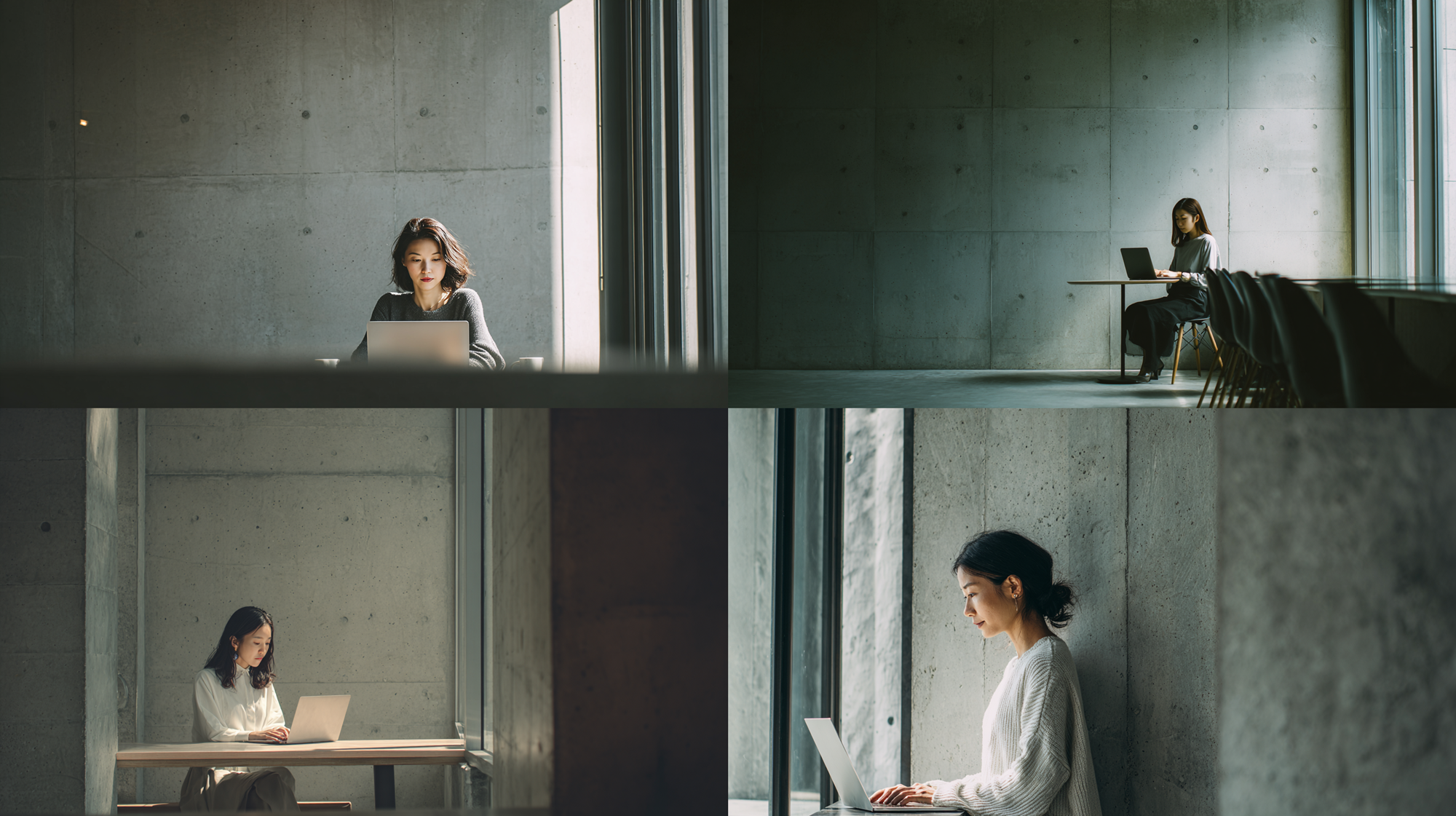
A beautiful Japanese woman working on a laptop in a minimalist modern cafe with concrete walls, industrial design, raw concrete texture, clean and uncluttered interior, muted color palette, medium close-up shot, closer framing on the subject, upper-body focused, subject positioned to one side of the frame, large copy space on the opposite side, negative space for text, text-friendly composition, spacious and clean layout, large windows, soft natural sunlight, calm and professional mood, photorealistic, ultra-detailed, realistic skin tones, cinematic lighting, 8k --ar 16:9 --v 7.0
人物に寄って、コピースペースをいれて でプロンプトをいじったら…もっと寄りを期待していたんですけどね
ちなみに --v 6.0 にしてみると
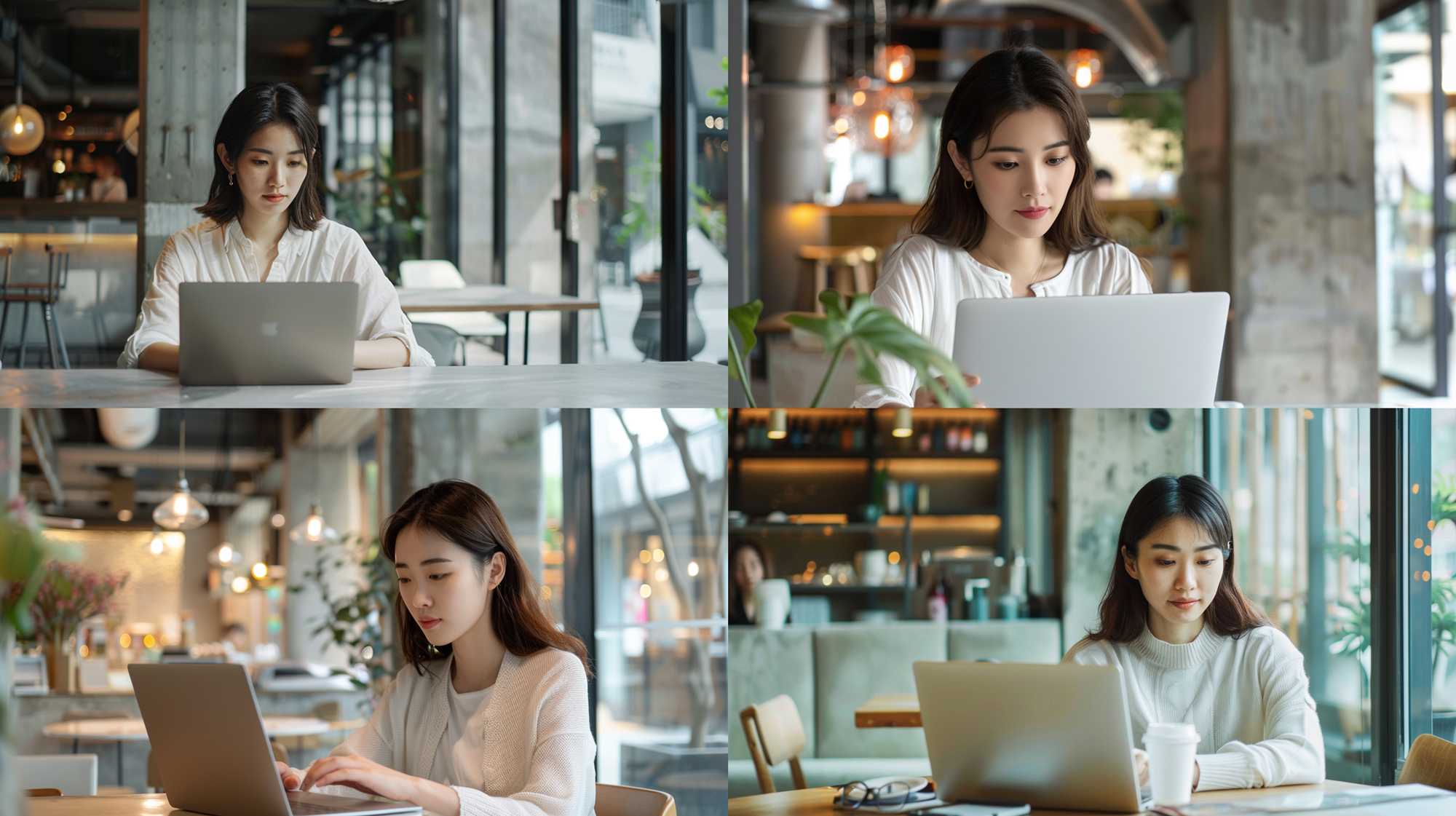
A beautiful Japanese woman working on a laptop in a minimalist modern cafe with concrete walls, industrial design, raw concrete texture, clean and uncluttered interior, muted color palette, medium close-up shot, closer framing on the subject, upper-body focused, subject positioned to one side of the frame, large copy space on the opposite side, negative space for text, text-friendly composition, spacious and clean layout, large windows, soft natural sunlight, calm and professional mood, photorealistic, ultra-detailed, realistic skin tones, cinematic lighting, 8k --ar 16:9 --v 6.0
まあ、ぼくのなかではこのぐらいの寄りがほしかったんですけど、緑が気になりますわ。
と、本来はこのあと何回も出力させていいものを選別って流れです。チェックを繰り返して、使えそうなもの、商品として買ってもらえると思えるものは25%ぐらいですよ。
番外:商標回避!「ロゴなし」を徹底するコツ
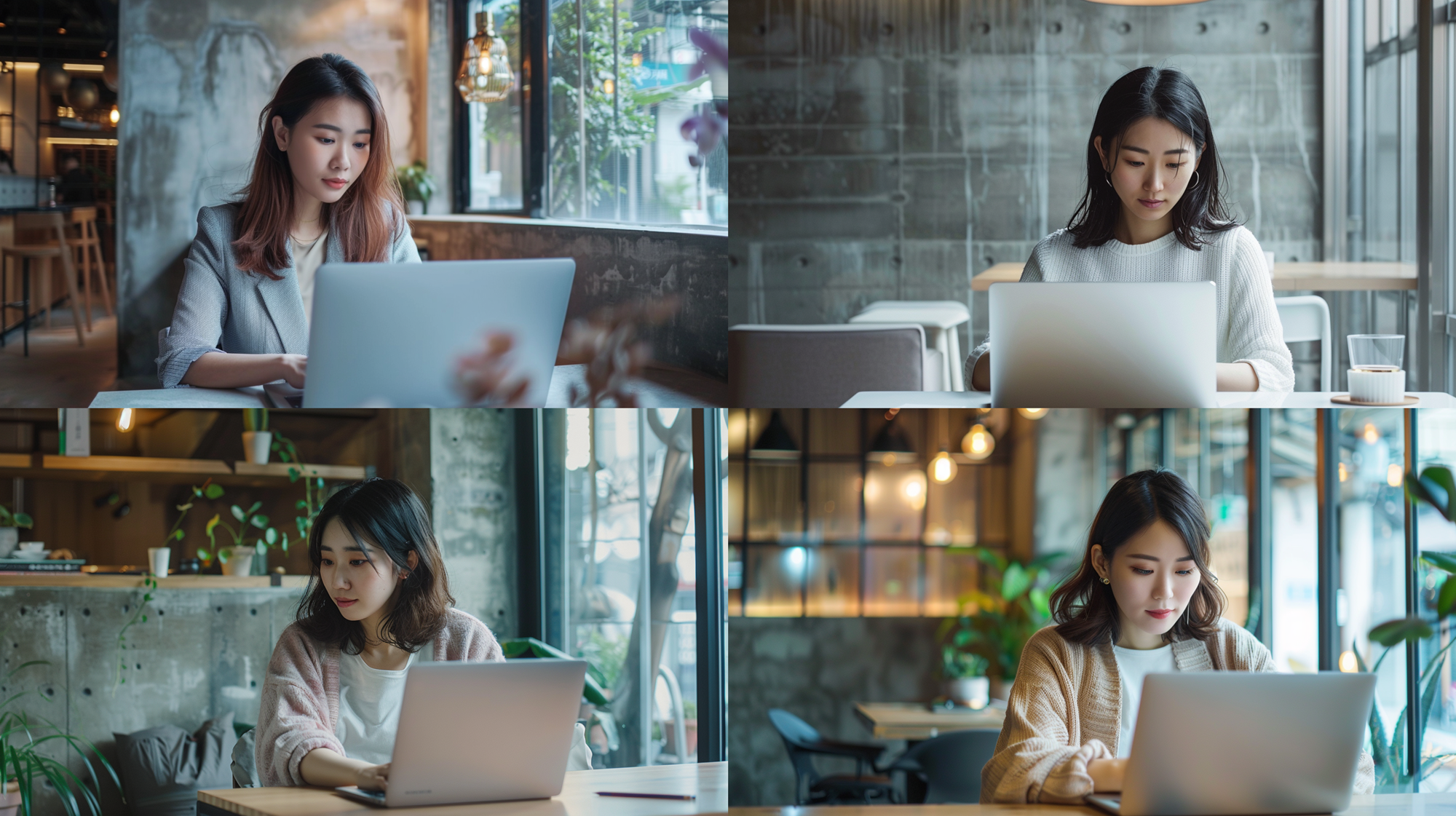
A beautiful Japanese woman working on a laptop in a minimalist modern cafe with concrete walls, industrial design, raw concrete texture, clean and uncluttered interior, muted color palette, medium close-up shot, closer framing on the subject, upper-body focused, subject positioned to one side of the frame, large copy space on the opposite side, negative space for text, text-friendly composition, spacious and clean layout, large windows, soft natural sunlight, calm and professional mood, using a plain laptop with no visible logo, unbranded laptop design, photorealistic, ultra-detailed, realistic skin tones, cinematic lighting, 8k --ar 16:9 --v 6.0
ストックフォトとして配布したり、アフィリエイトブログで使う際に怖いのが「リンゴマーク」などの商標権ありのロゴやマークです。
最近の職場ではパソコンやノートパソコンがないと話にならないのですが、リスク回避の観点からロゴなどは極力いれたくないんです。
この章以前の画像でのロゴはあえていれたままにしていますが…
さて、プロンプトで「ブランド名」を消す方法なんですが、Midjourneyでは plain laptop や unbranded という単語を入れることで、ロゴのないPCを出しやすくなります。(あくまでも出しやすくなるだけ)
もしロゴが出てしまった場合は、Midjourneyの「Vary Region」機能でその部分だけ塗りつぶして再生成するのも有効なハックです。
まとめ:独自の「トーン」を持つことがブログの資産になる
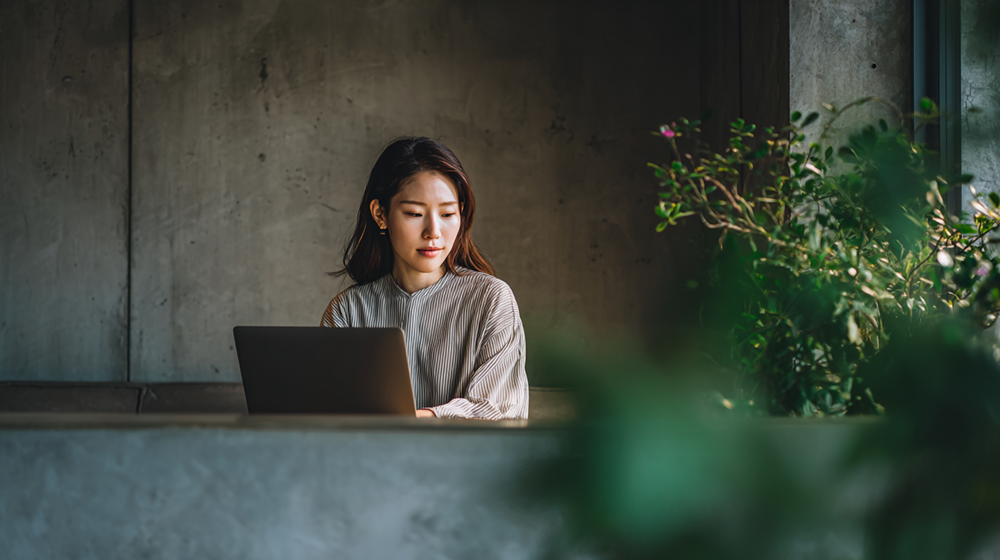
素材サイトにあるような「ありきたりな画像」を卒業し、自分のブログのトーンに合わせた画像を生成できるようになると、サイト全体の権威性が一気に高まります。
当サイトの編集長Mが800万PVメディアで培ってきた「読者に違和感を与えないビジュアル戦略」を、ぜひあなたのブログにも取り入れてみてくださいね!
本記事の画像・プロンプトはコピペで利用OK(無料です)
本記事で紹介している画像は、すべて当ブログの管理人がChatGPT(or Gemini)+Midjourney v7を使用して生成した「生」の作品です。
掲載している英語プロンプトは、すべて自由に使っていただいて構いません。
- 自分のブログのアイキャッチに使いたい
- プロンプトの一部を変えてシチュエーションを変えたり、自分好みの画像を作りたい
- ストックフォト販売の参考にしたい
すべてOKです!クレジット表記も不要ですが、もし「役に立った!」と思っていただけたら、SNSなどでこの記事をシェアして応援してもらえると、中のひとがよろこびます。
ただし、みなさまが利用する生成AIの利用規約は遵守してください。
※免責事項 本記事の内容は筆者の経験に基づく戦略であり、収益や再現性を保証するものではありません。副業の結果は、市場環境や個人の継続的な取り組みにより異なります。ご自身の責任において、無理のない範囲でご活用ください。